Supported onWindowsmacOSLinux (Steam Deck)
Open in
Move a player and check the result
Arrange a transfer to another club with a fee and date, then check the result in Football Manager.
Before you start
info
You need a loaded savegame and an activated license.
Choose the player and destination club before starting. Pause Football Manager.
tip
To put the player at the new club straight away instead, tick Move now. See Move a player immediately.
Arrange the transfer
- Find the player, for example using Search.
- Open Move to club.
- Check the player in Move and their current club in From.
- Choose the destination in To. For a club that isn't listed, select Other club… and search for it.
- Leave Transfer selected and Move now clear.
- Check the Transfer Fee, which starts at the player's asking price, and choose the Transfer Date. The calendar button beside the date sets it to tomorrow.
- Select Save Changes.
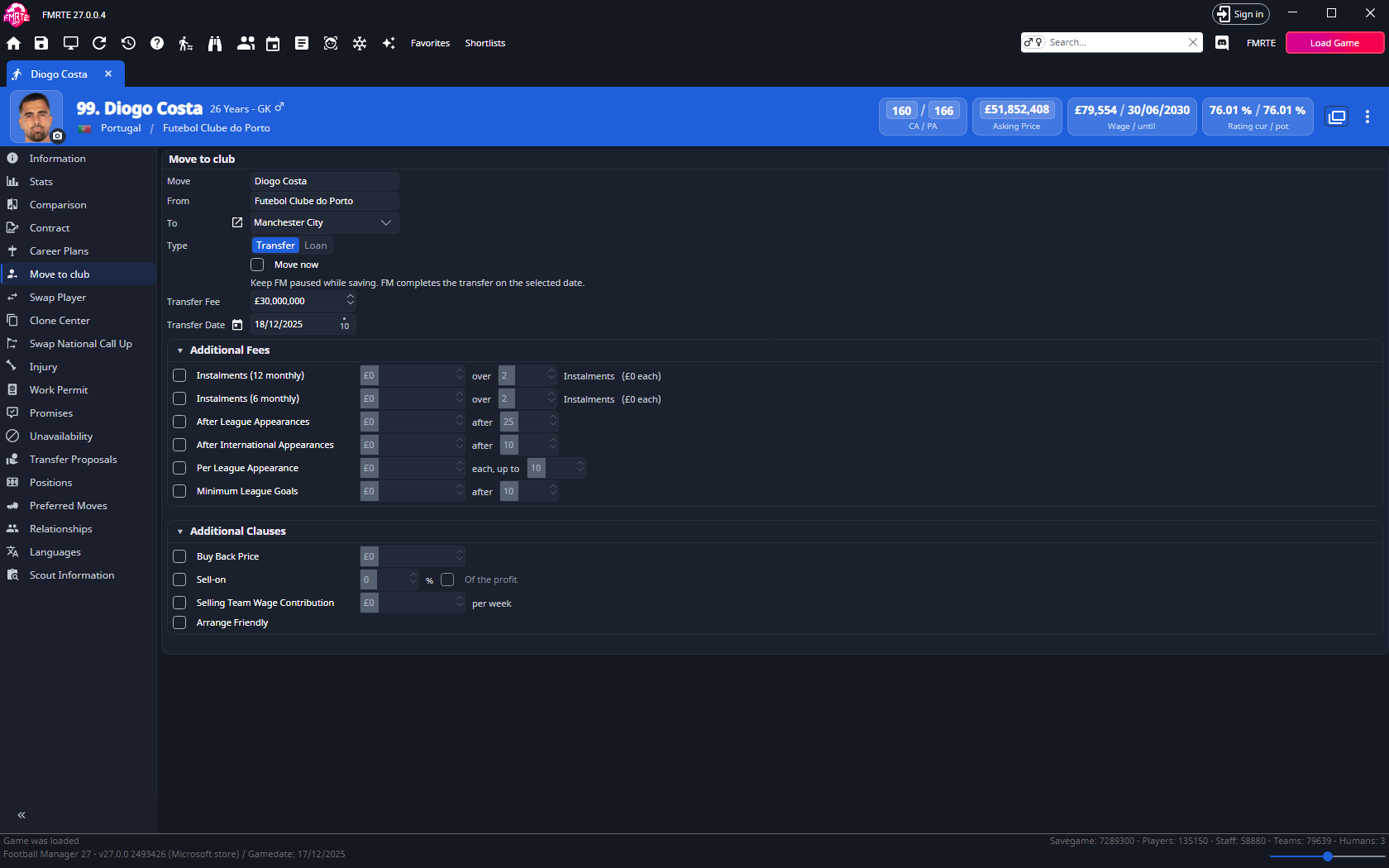
FMRTE confirms the date the transfer completes and opens the player's Future Transfer tab.
Check the result
- In FMRTE, check the club, fee and date on the player's Future Transfer tab.
- Save in Football Manager to keep the deal.
- Advance Football Manager past the transfer date.
- Open the destination club's squad in Football Manager and find the player.
- Check the player's contract and the fee in their history.
- Check any reason Football Manager gives for the player being unavailable.
- Save in Football Manager.
If you want different contract terms, follow Contracts and check the result again. If the player needs registration or a permit, use Registration or Work permits.
If it did not work
- Move now is ticked and locked: see When a transfer can't be arranged.
- Unable to create a new contract: follow the contract-creation checks.
- The player has not moved: follow the saving checks.
- The player moved but cannot play: check the eligibility reason, along with any injury or ban.
Related options
- Add fees and clauses, such as instalments or a sell-on.
- Loan a player.
- Move several players at once.
- Swap two players.
- Edit an agreed future transfer.