Open in
Move a player and check the result
Move one player permanently to another club, then check their contract and eligibility in Football Manager.
Before you start
info
You need a loaded savegame and an activated license.
Choose the player and destination club before starting.
tip
Move to club does not automatically exchange a transfer fee. Registration and work-permit requirements need separate checks.
Move the player
- Find the player, for example using Search.
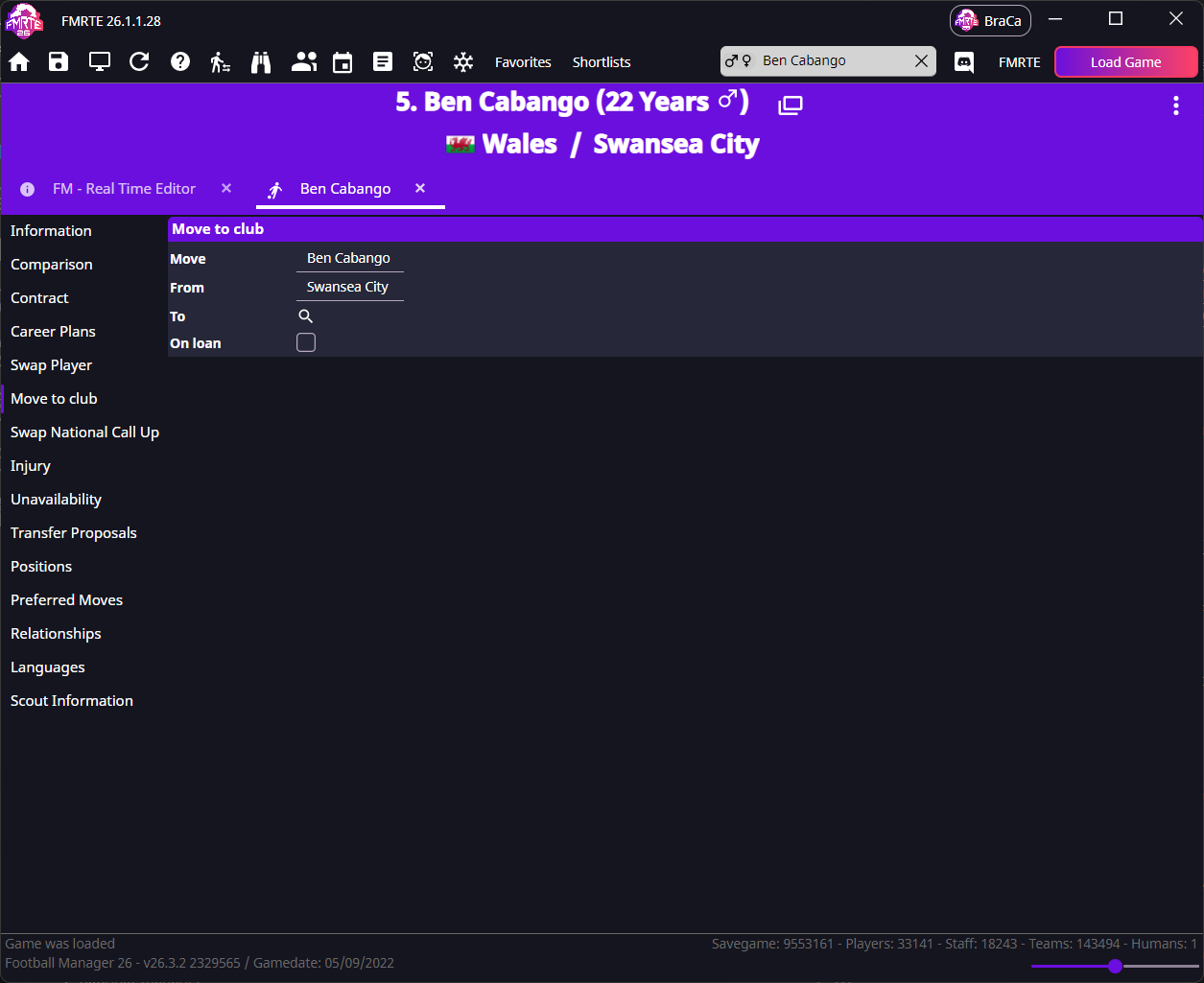
- Open Move to club.
- Check the player in Move and their current club in From.
- Use the search button beside To to choose the destination club.
- Leave On loan cleared for a permanent move.
- Select Save Changes.
Check the contract and squad
- Reload the player in FMRTE.
- Open Contract and check the club, expiry date, wages and agreed playing time.
- Open the destination club's squad in Football Manager and find the player.
- Check the player's contract in Football Manager.
- Check any reason Football Manager gives for the player being unavailable.
- Save in Football Manager when the move and contract are as intended.
If you want different contract terms, follow Contracts and check the result again. If the player needs registration or a permit, use Registration and permits.
If it did not work
- Unable to create a new contract: follow the contract-creation checks.
- The player has not moved: follow the saving checks.
- The player moved but cannot play: check the eligibility reason, along with any injury or ban.