Open in
Find young players
Find players aged 19 or younger with Potential Ability (PA) of at least 140, then inspect the matching players in Search Results.
Set the filters
- Load your savegame into FMRTE. Searching is free.
- Open Advanced Search using the binoculars button in the toolbar.
- Select Player → General.
- Under Personal Details, set the right-hand Age value (maximum) to 19. Leave the minimum at 0.
- Under Ability, set the left-hand PA value (minimum) to 140. Leave the maximum at 200 and the other filters at their defaults.
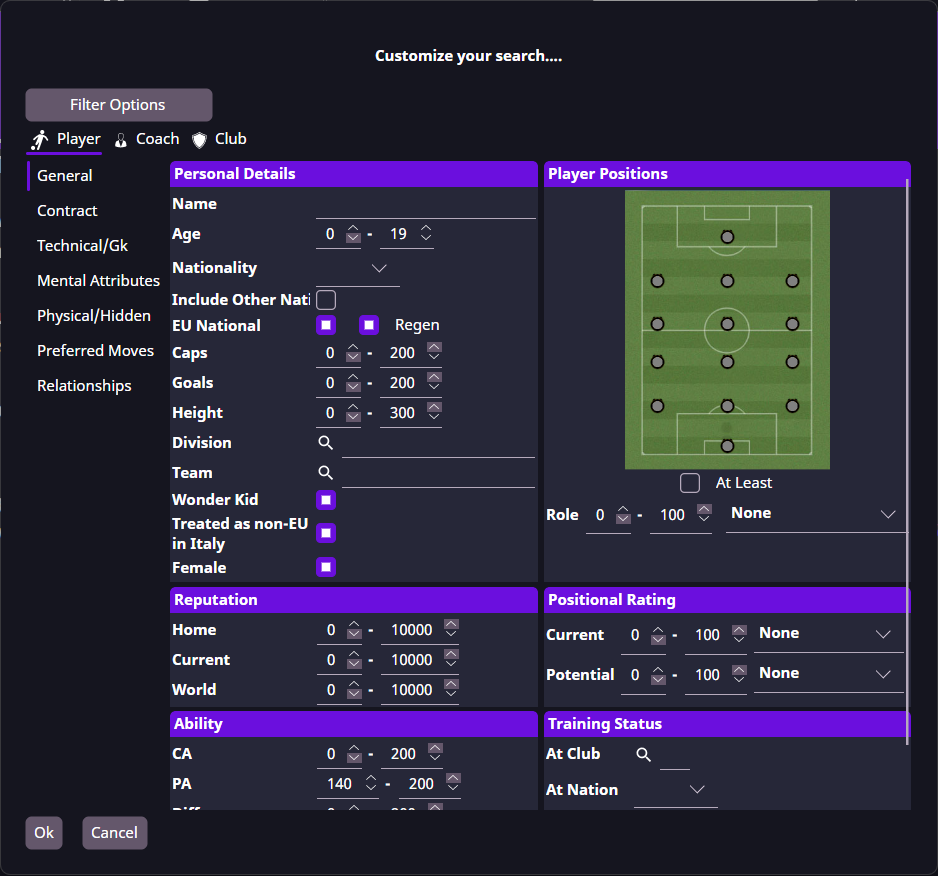
The filter is ready: Age 0–19 and PA 140–200.
View the results
- Select Ok to run the search. FMRTE opens the Search Results tab.
- Check the Age and PA columns: the matching players should be no older than 19, with PA of 140 or more.
- Click the PA column heading until its arrow points down to show the highest potential first.
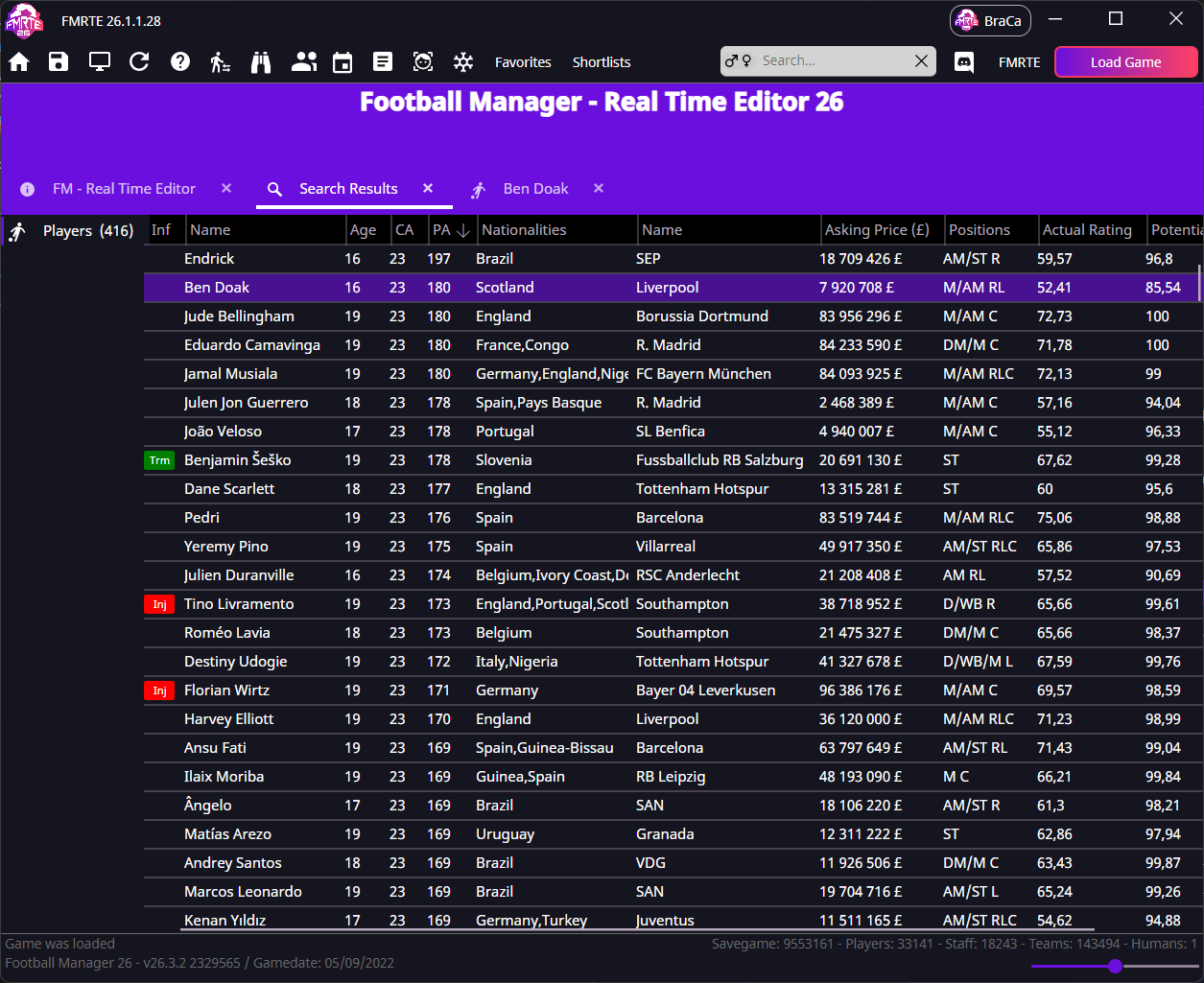
This search found 416 players in the example savegame. For example, Ben Doak is 16 with PA 180. Your players, values and result count depend on the savegame you loaded.
Double-click a player's name to open their profile and inspect their attributes, position and contract. If it opens in the background, select the player's tab.
PA describes development potential. It is not the player's current ability or a promise that they will reach that level.
If it did not work
- No matches: check that 19 is the maximum Age and 140 is the minimum PA. Other active filters can also exclude players. Use the search guide to adjust the criteria.
- Too many matches: add a position or nationality filter, or raise the minimum PA.
- Age or PA is missing: choose the columns shown in your lists.