Supported onWindows
Open in
Editing a stadium
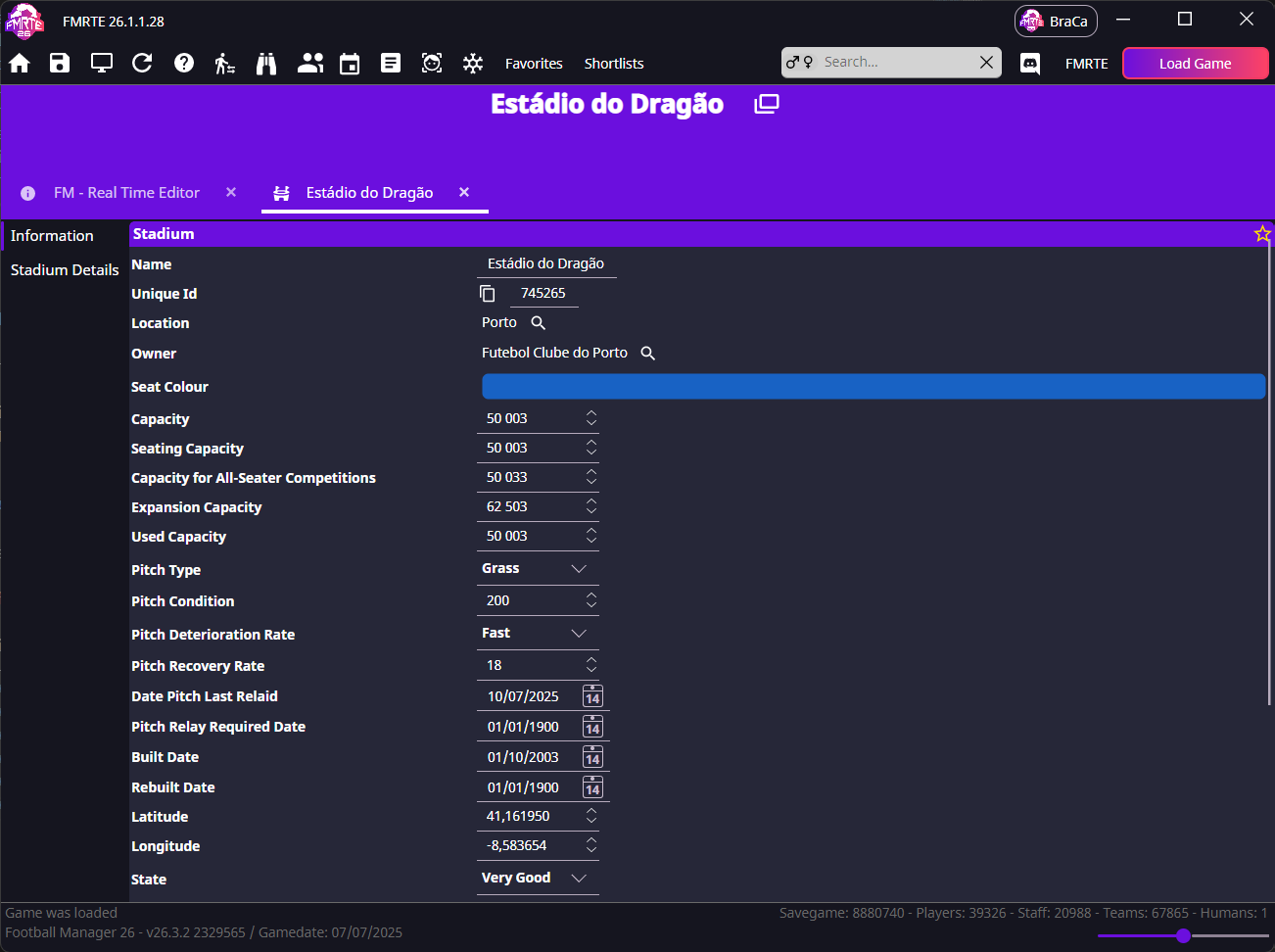
Use Information for capacity and pitch details, and Stadium Details for individual stands.
info
The stadium name is read-only and cannot be changed.
Open the correct stadium
- Open the club's Information page.
- In Teams, choose the team.
- Select its underlined Stadium name.
- Check the stadium's name, location and owner.
Capacity fields count spectators. Keep total, seated, used and expansion capacities consistent. Pitch, seat colour, roof and undersoil-heating settings are separate.
Worked example: changing a stand's capacity
- Open Stadium Details and select the stand you want to edit.
- Update its capacity - for example, from 5,000 to 5,500.
- Leave the roof, seats, and tunnel settings as they are, unless you want to change those too.
- Save your changes, then reopen the stadium to confirm the new value.
- Play a match in Football Manager and check the same stand in-game.
info
The changes will take effect the next time a game is played at that stadium.
What each stand control does
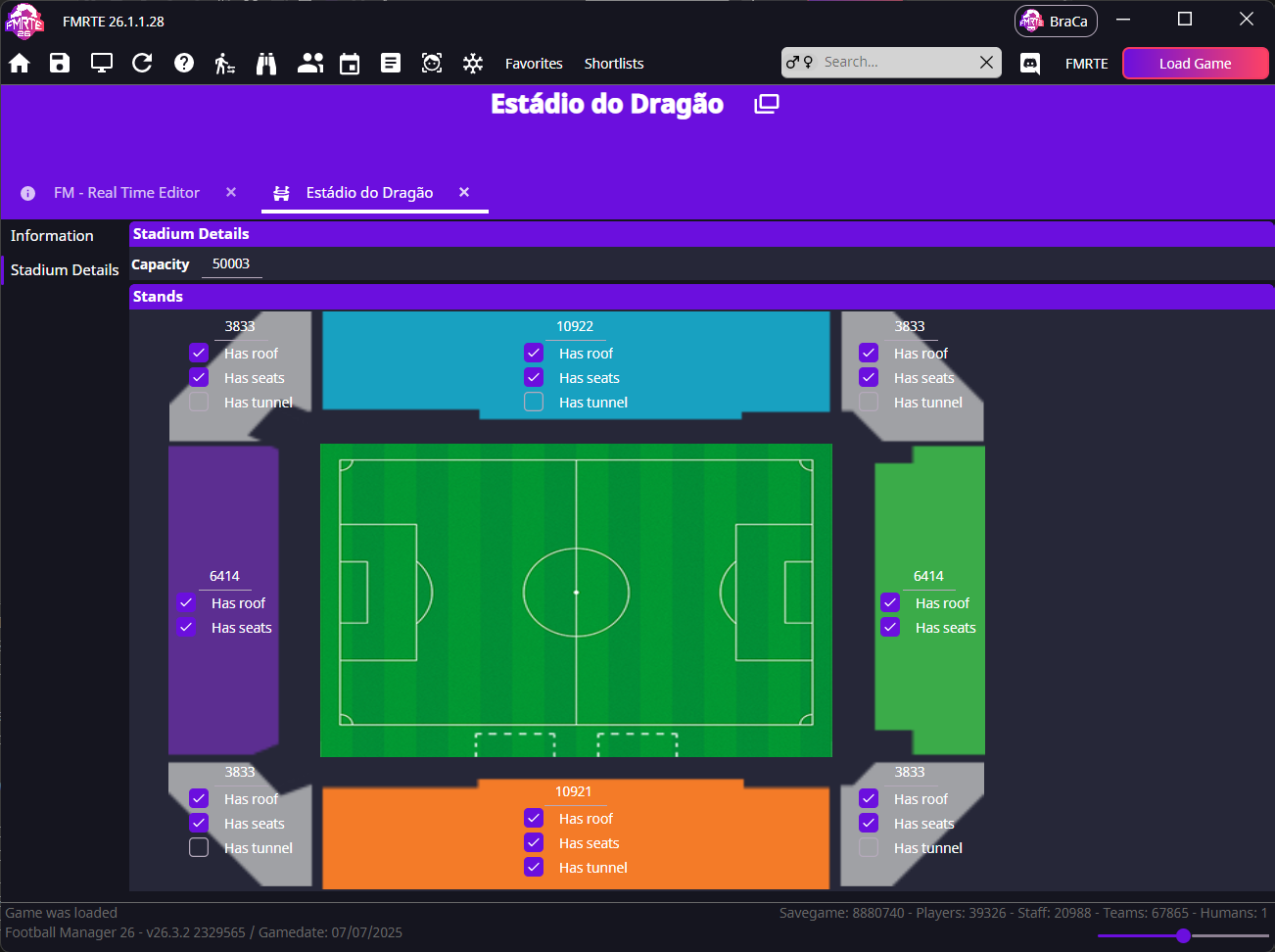
| Control | Meaning |
|---|---|
| Capacity | Spectator count for the stand |
| Has roof | Whether the stand is covered |
| Has seats | Seating in the stand |
| Has tunnel | Players' tunnel, where available |