Supported onWindows
Open in
Kits and colours
Change a club kit's basic colours and style.
The effect of these changes in the FM26 3D match engine still needs confirmation.
Change a kit
- Open the club's Kits and Colours page.
- Choose Home Kit, Away Kit, Third Kit or a goalkeeper kit.
- Select the shirt, shorts or other item row.
- Change its colours or use Item Style to choose a design. Check the Example preview.
- Select Save Changes.
- Check the club page and a match in Football Manager.
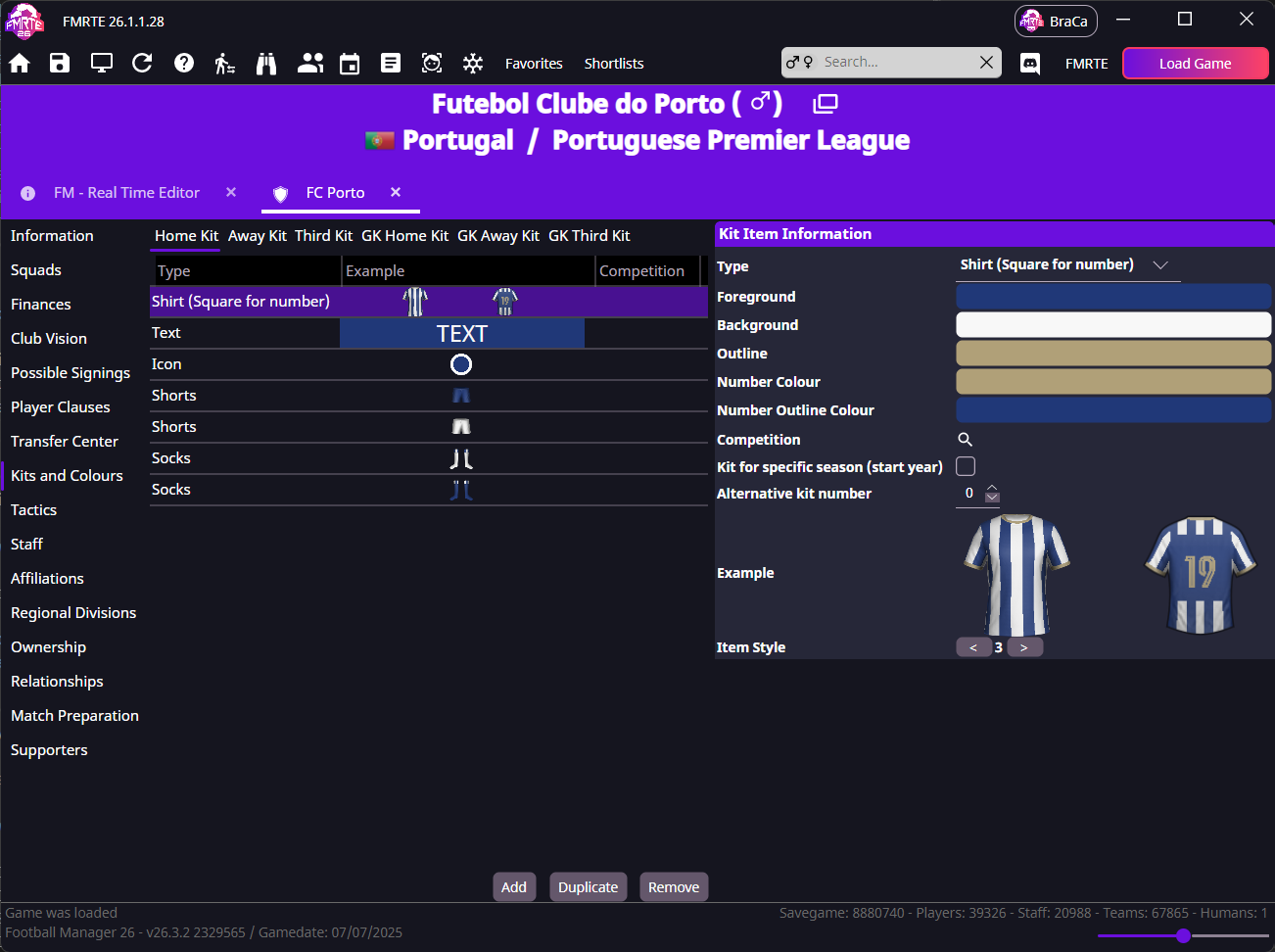
Use Add, Duplicate and Remove for whole kit records. Check Competition, season and Alternative kit number when more than one record could apply.
info
FMKE is a separate kit editor for image, logo and sponsor editing.