Open in
Editing your manager profile
Open Favorites → Profile to change your manager's information, options, country knowledge or languages.
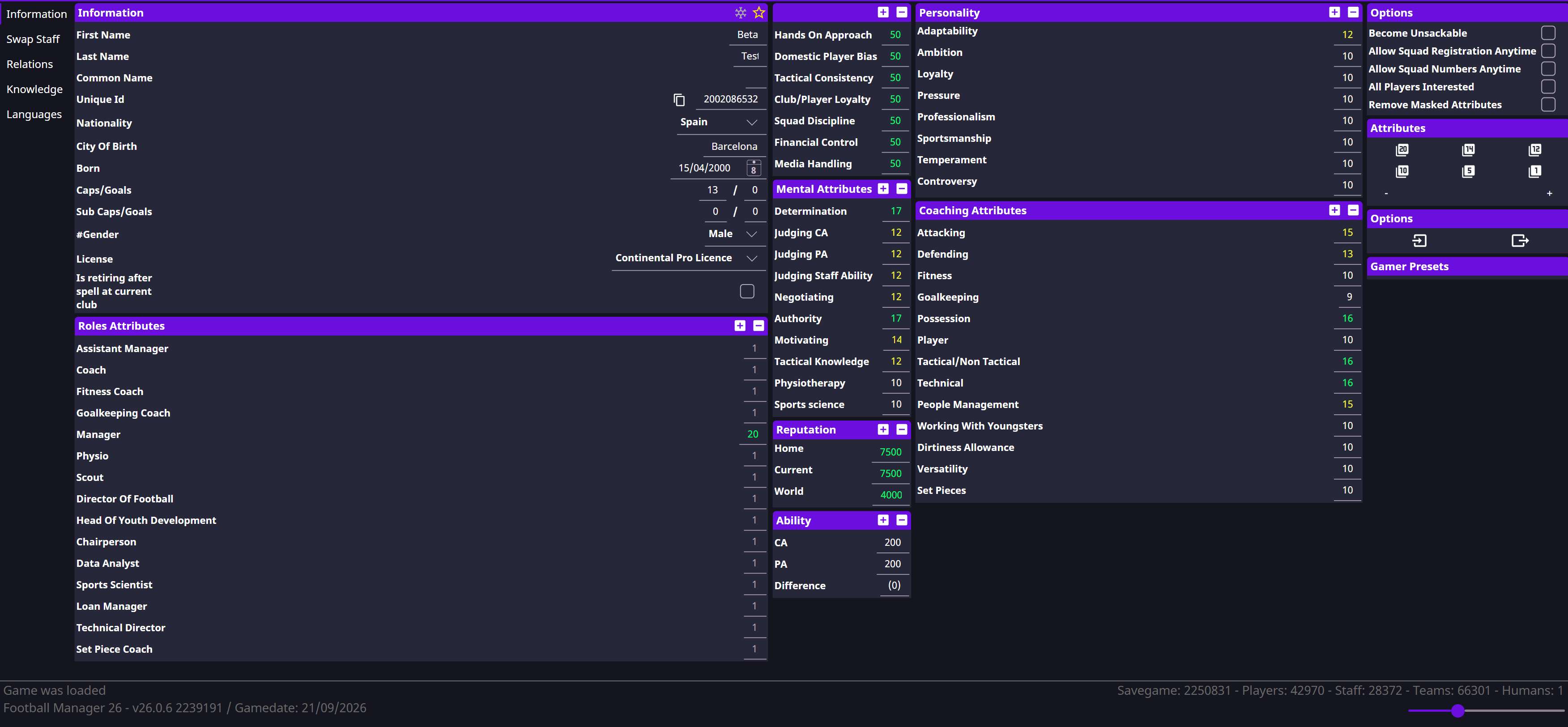
Change one profile option
On Information → Options, choose the setting you need and select Save Changes. Then try the related action in Football Manager.
| Option | Purpose |
|---|---|
| Become Unsackable | Protect your job; national-team coverage still needs confirmation |
| Allow Squad Registration Anytime | Open registration outside its normal window; other eligibility rules still apply |
| Allow Squad Numbers Anytime | Allow squad-number changes |
| All Players Interested | Change player-interest behaviour |
| Remove Masked attributes | Reveal masked attribute information |
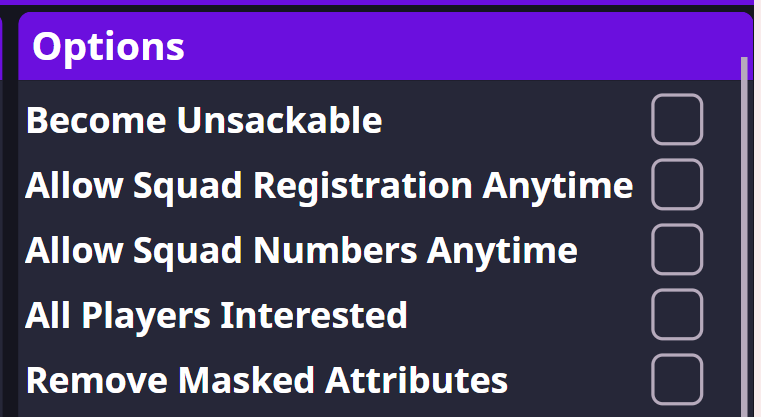
For a squad-number change, enable the option first, then edit Squad Number on the player's Contract. See Registration for competition restrictions.
All Players Interested: must FMRTE stay open?
Persistence after closing FMRTE still needs confirmation. Check the same player's interest after saving and again after closing the app. This is separate from Freezer, which does need to stay running.
Country knowledge
- Open Knowledge and use + to add a country, or select an existing row.
- Check whether the record belongs to the men's or women's database.
- Set the value and save. Use − to remove a selected entry.
- Check your scouting knowledge in Football Manager.

Languages
Open Languages, add or remove entries with + / −, and set a level from 1 to 10. Save and check your manager profile in Football Manager.