Open in
Exporting and importing a player template
Export saves a reusable player profile. Import copies your selected categories into an existing player; it does not create a clone.
Export a known profile
- Open the source player's Information page.
- Select Export in Options.
- Save the file with a recognisable name, such as
box-to-box-midfielder.
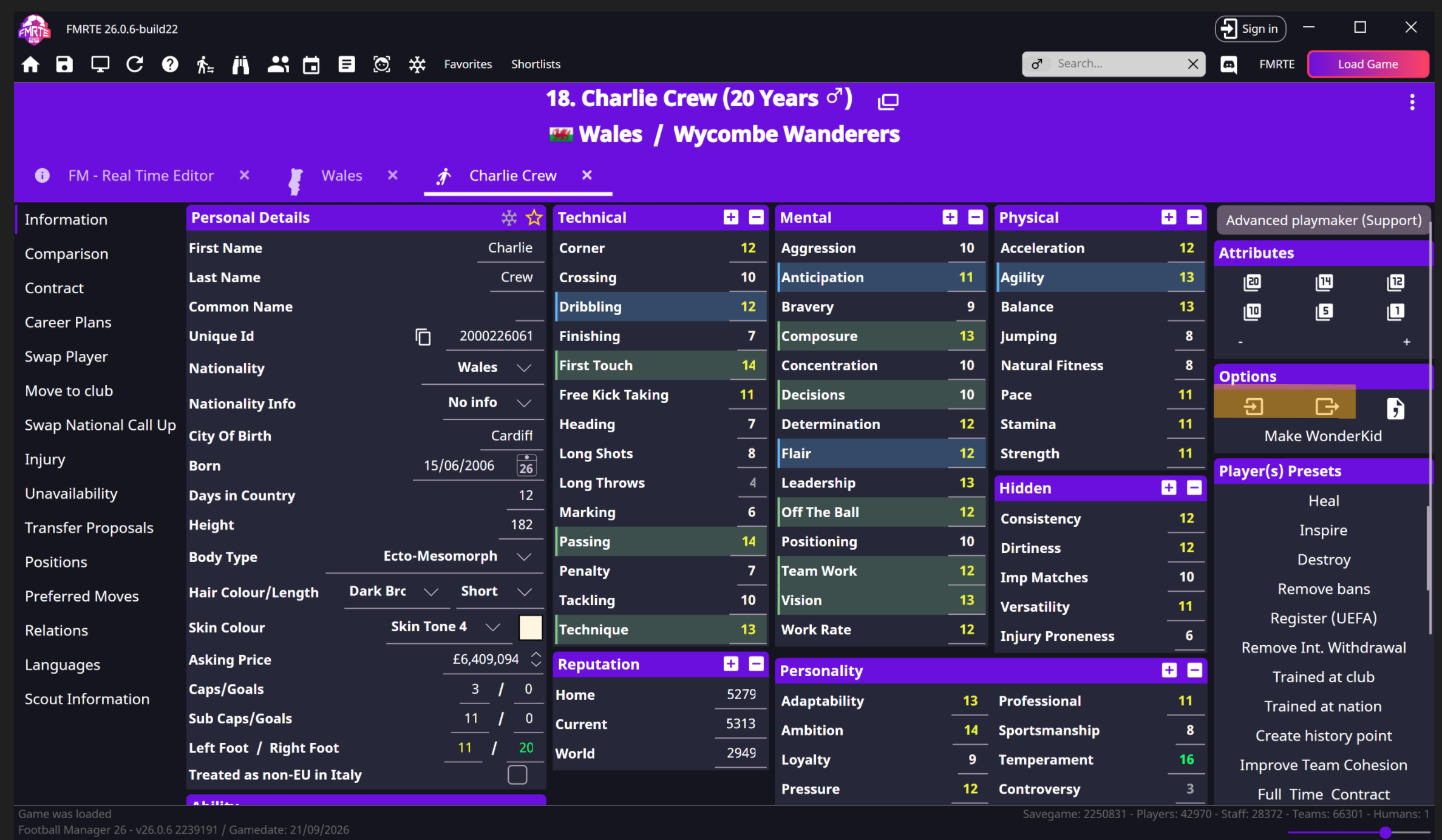
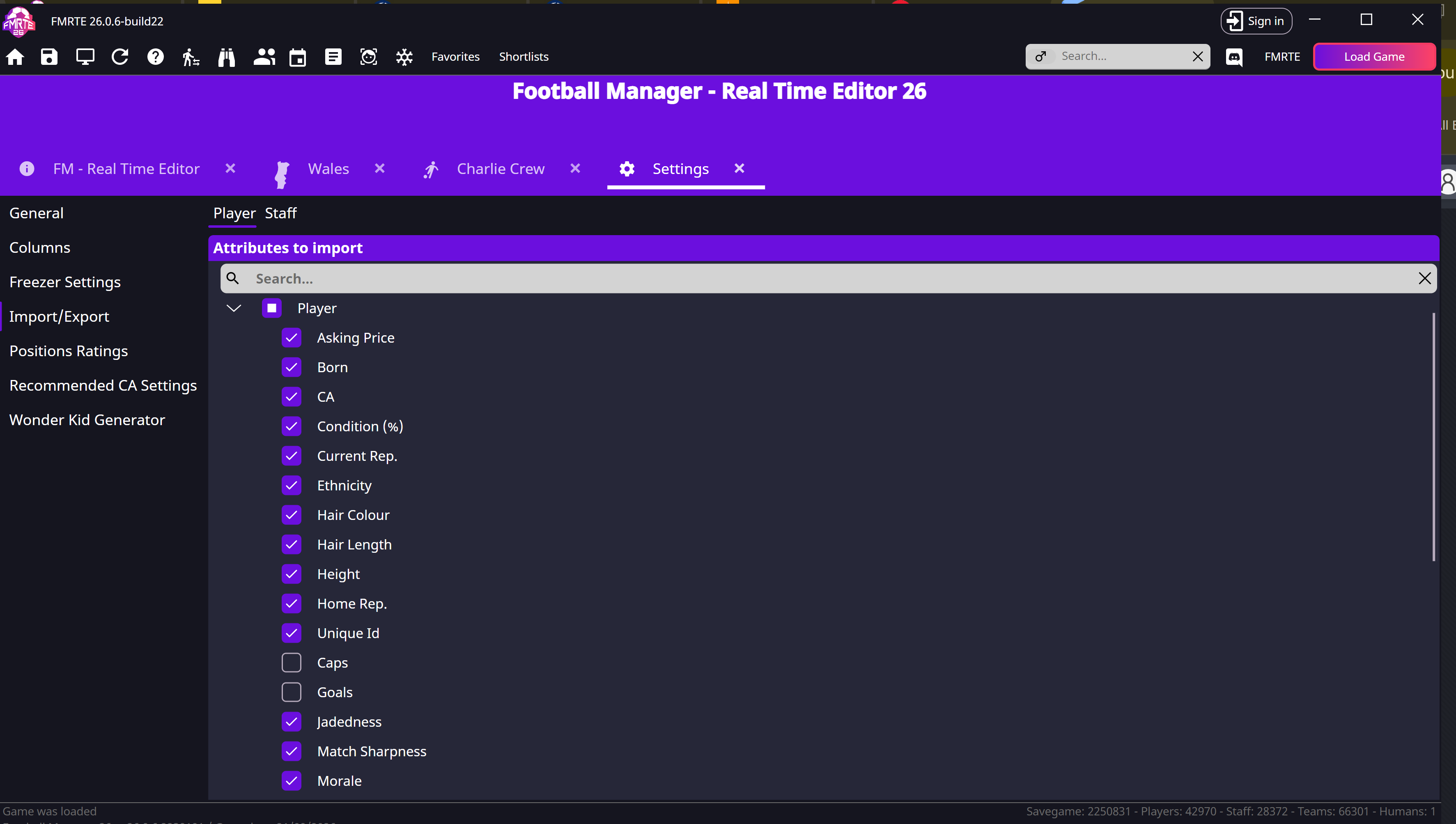
Choose what import is allowed to change
- Open FMRTE → Settings → Import/Export.
- Expand Attributes to import → Player.
- Select only the categories you want to copy.
- Save Settings.
Import into the intended player
- Open the target player and select Import.
- Choose your exported file.
- Check the changed fields before selecting Save Changes.
- Reopen the player in Football Manager and confirm the result.
What this does not restore
Import applies only the selected profile categories. It does not reverse club finances, transfers or competition changes. Exporting several players at once is not yet covered by a confirmed workflow.