Open in
Positions and preferred moves
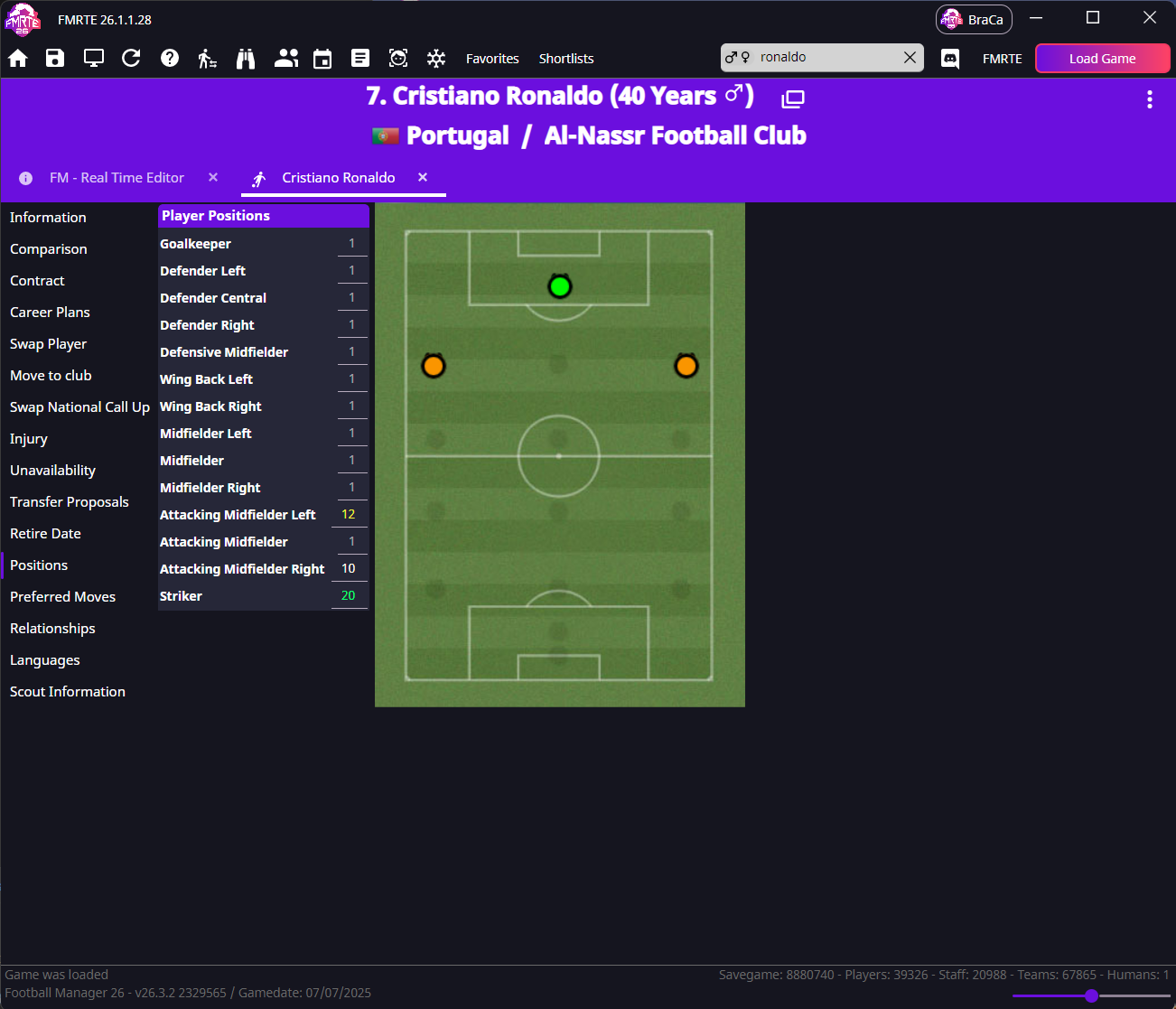
Positions controls where a player is comfortable on the pitch. Preferred Moves controls their playing tendencies, such as cutting inside or trying long shots.
Change positional familiarity
- Open the player's Positions page.
- Choose a position, such as Midfielder Central.
- Enter a value from 1 to 20; higher means greater familiarity. Clicking a pitch position also increases its value.
- Select Save Changes and check the position in Football Manager.
Add or remove preferred moves
- Open Preferred Moves.
- Select traits to add and clear traits to remove.
- Select Save Changes.
- Check the player's traits in Football Manager.
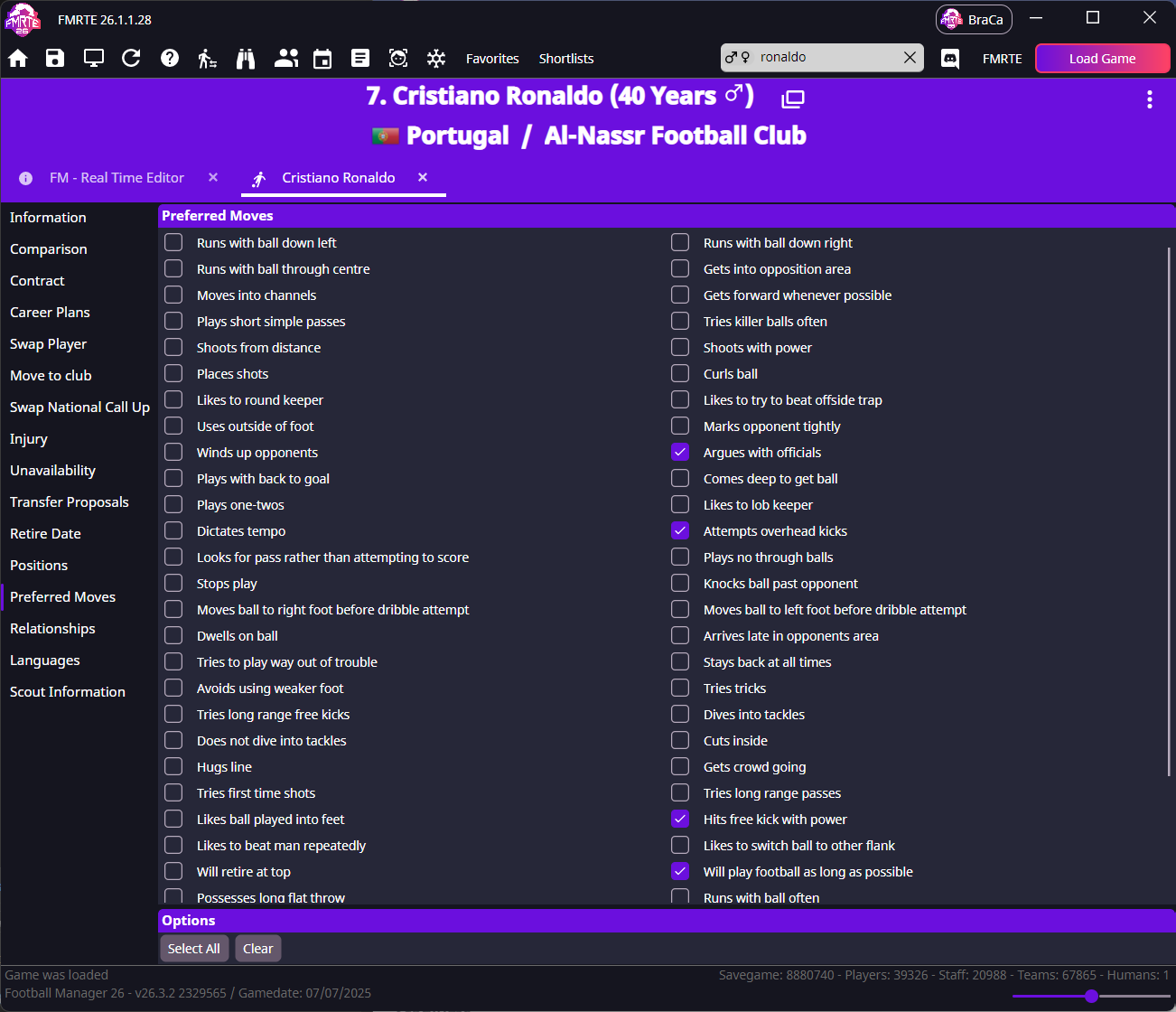
Choose traits that fit the player.
info
Select All can combine conflicting tendencies. Traits influence choices during matches rather than forcing an action every time.
Preferred moves won't save, or come back the next day
Follow the saving checks to compare the saved traits in FMRTE and Football Manager.