Open in
Relationships
Open a player's Relationships tab to manage their links to people, clubs and nations. This tab also holds nationality, registration, training and playing-history records.
Add a relationship
- Open the player's Relationships tab.
- Select +.
- Choose Type.
- If a person, club, team or nation field appears, use its search button to choose the entry.
- Fill in the remaining fields shown for that type.
- Select Save Changes.
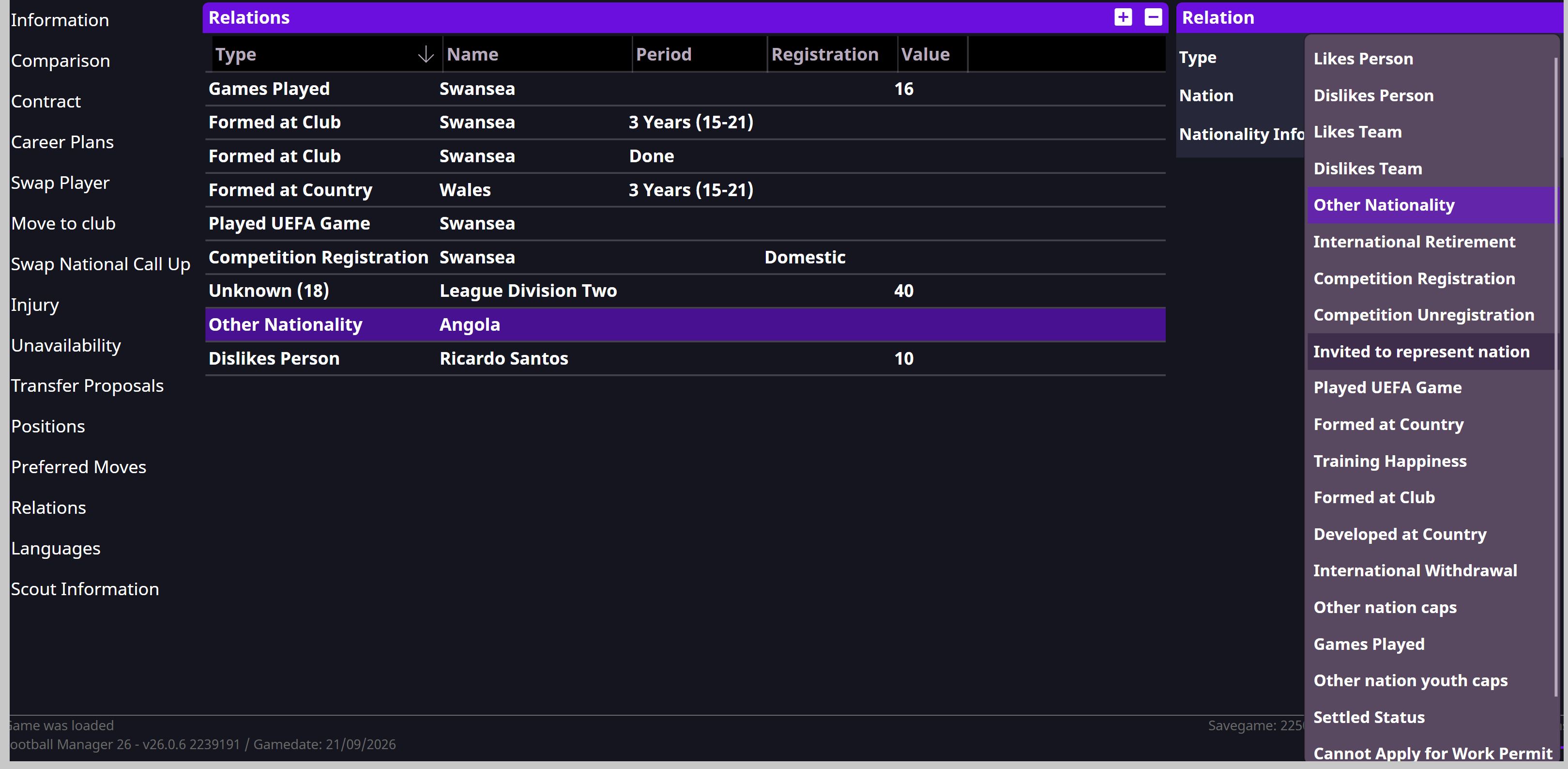
Add another nationality
- Open Relationships.
- Select +.
- Set Type to Other Nationality.
- Use the nation search button to choose the nationality.
- Review Nationality Info and choose the status you intend to set.
- Select Save Changes.
To replace the primary nationality, use Nationality on Information. Nationality, home-grown status and registration are separate. See Registration and permits.
Edit or remove a relationship
Select an entry to see its details. Change the relevant fields, then select Save Changes.
To remove an entry, select it and select −. This removes it immediately. Check the entry's Type first, as this list also contains registration and playing-history records.
Relationship types
Likes and dislikes
| Type | What it records |
|---|---|
| Likes Person | A positive relationship with another person. Reason can identify a family member, friend, teammate, manager or idol. |
| Dislikes Person | A negative relationship with another person. |
| Likes Team | A club the player likes. Reason can identify a supporter, player, manager or backroom-staff connection. |
| Dislikes Team | A club the player dislikes. |
Value records the strength of a like or dislike. Reason and Permanent appear only for the types that support them. A family connection is a Reason within Likes Person, rather than a separate relationship type.
Nationality and international football
| Type | What it records |
|---|---|
| Other Nationality | An additional nationality and its Nationality Info status. |
| Invited to represent nation | An invitation to represent a nation. |
| International Retirement | Retirement from international football. |
| International Withdrawal | Withdrawal from international duty. |
| Other nation caps | Senior international appearances and goals for another nation. |
| Other nation youth caps | Youth international appearances and goals for another nation. |
| Settled Status | Settled status in a nation, with an Until date. |
Registration and training history
| Type | What it records |
|---|---|
| Competition Registration | Registration for the selected Registration category and team. |
| Competition Unregistration | Removal from registration for the selected category and team. |
| Formed at Club | Training history at a club, with a Period specifying the years and age range. |
| Formed at Country | Training history in a nation, with a Period specifying the years and age range. |
| Cannot Apply for Work Permit | A restriction on applying for a work permit, linked to a team and an Until date. |
For squad eligibility problems, follow Registration and permits.
Playing history and training happiness
| Type | What it records |
|---|---|
| Played UEFA Game | A UEFA appearance record linked to a team. |
| Games Played | An appearance record linked to a club. |
| Training Happiness | The player's recorded training happiness. |
| Developed at Country | A development-history entry. Its exact meaning in Football Manager 26 has not been verified. |
| Games Played In Division Level | A playing-history entry whose division-level details and effect in Football Manager 26 have not been verified. |
An Unknown entry is a relationship type FMRTE does not recognise. Its purpose has not been confirmed.
Fields depend on the type
Changing Type changes the available fields. For example, Other Nationality has Nationality Info, while Formed at Club has Period.
Value does not have one meaning or scale across all relationship types. Use the field for the selected type, and keep nationality, registration and appearance records separate from likes and dislikes.